Chat on your own machine
Streaming Arabic and English conversations through a local Q6_K model, without a cloud AI provider.
 Alsehli AIby Bahraini.online
Pay once. Use your installed AI for life. Private chat, images and voice on your own PC—with no recurring AI subscription and offline use after setup.
Figures from an RTX 5060 Ti 16 GB test PC. Performance varies with hardware and workload.
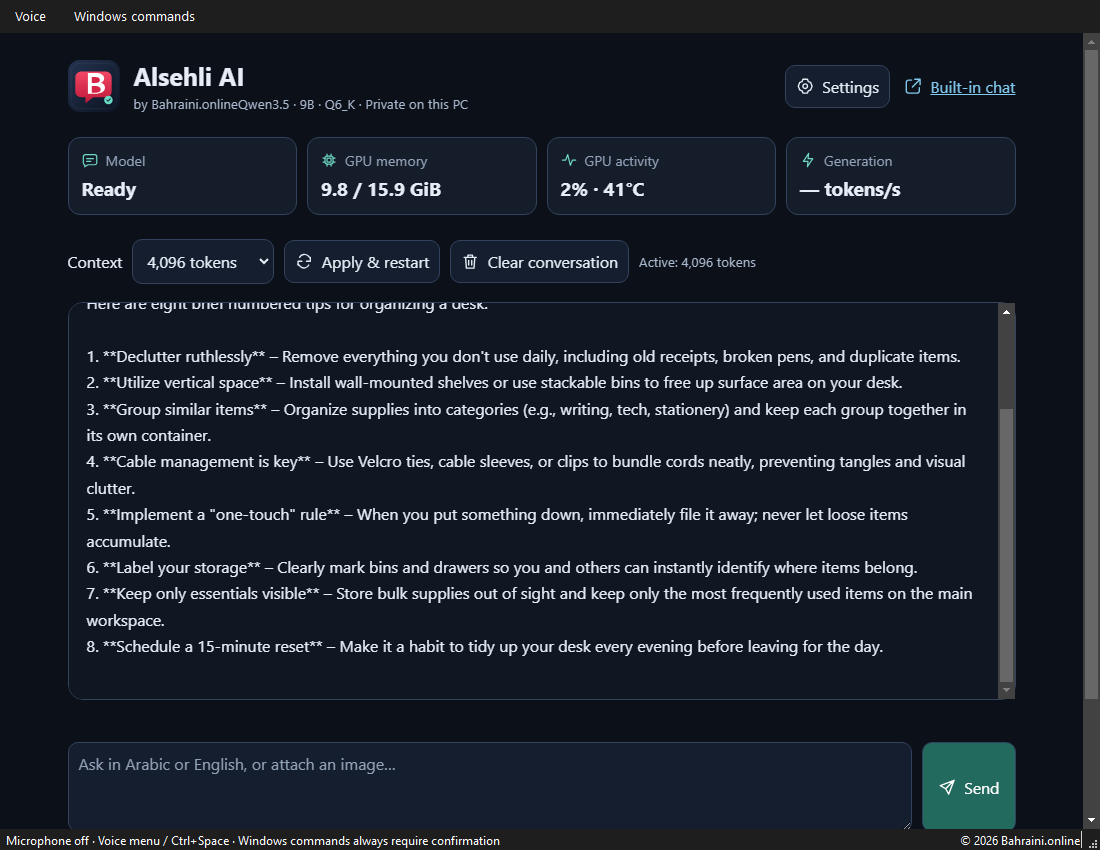
Features tested in the local application, with actions kept under the user’s control.
Streaming Arabic and English conversations through a local Q6_K model, without a cloud AI provider.
Upload an image for a description or text extraction. Image description, OCR and screenshot understanding passed functional tests.
Tap the microphone, speak and tap stop: your recognized message sends automatically. Local Arabic/English recognition and spoken replies, with no cloud speech provider.
Open Notepad, Calculator, Explorer, Settings, Documents or Desktop. A separate confirmation is required for every action.
Light and dark modes, a separate background color for each, and 12–24 px text. All appearance controls live in Settings.
GPU memory, activity, temperature and generation speed, with 4096, 8192 and 16384-token context settings.
A 36-second visual walkthrough of the original interface, appearance settings and performance monitoring.
Faster generation and more memory headroom on the test PC, with text and vision checks passing. Answer-quality equivalence between quantizations was not evaluated.
Tokens per second · higher is faster
GiB · total device usage, not model-only
Measured 12 October 2026: RTX 5060 Ti 16 GB, i5-10400 and 64 GiB RAM on Windows 11. llama.cpp b11429 with CUDA 13.4, 6 threads, batch 512, microbatch 256, Flash Attention and Q8 KV cache.
The speed benchmark uses 3 repeats with the server stopped. Context tests use uncached long prompts and 128 generated tokens. First-token time includes long-prompt processing. 16384 tokens passed a functional test, not a prolonged soak test.
Download benchmark data (JSON)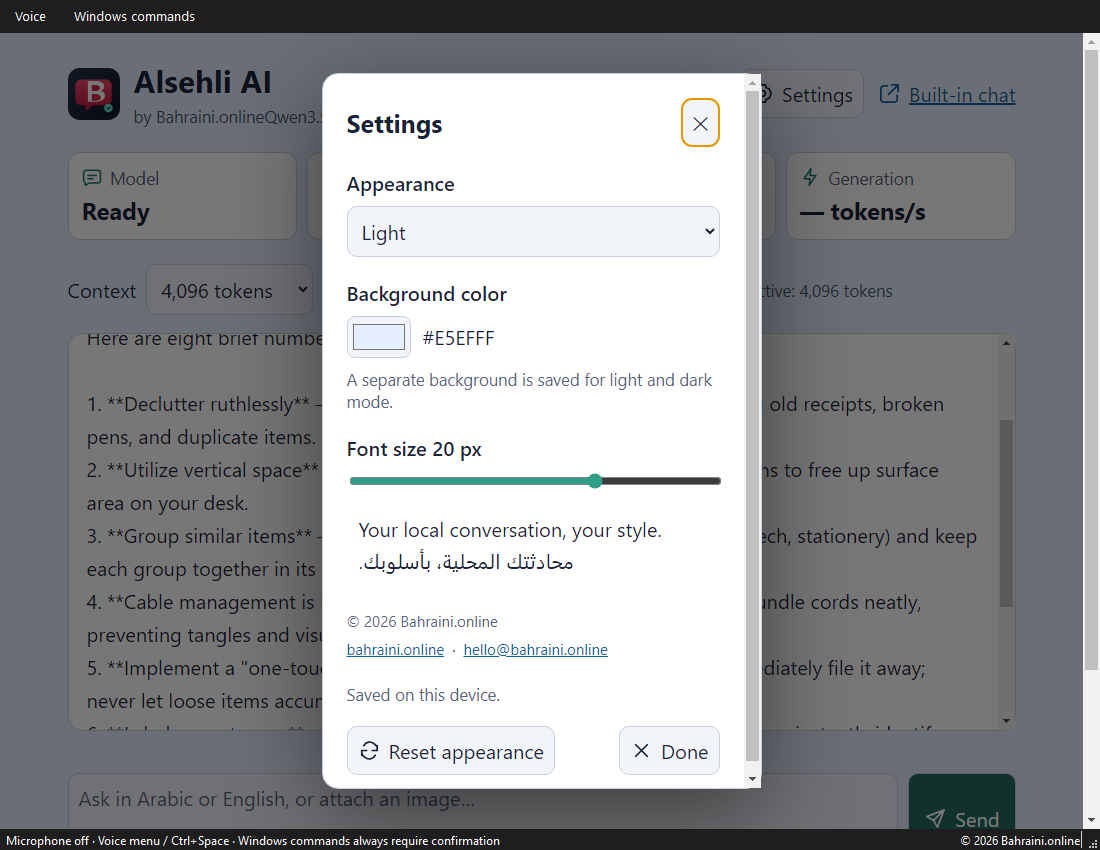
Choose light or dark mode, change the background and adjust text size. Preferences are saved locally without changing the model configuration.
The machine we tested, alongside clear starting recommendations. Minimum specifications and other hardware have not yet been validated.
Windows 11 Pro is validated. Windows 10, macOS and Linux are not tested in this release.
RTX 5060 Ti 16 GB with CUDA was tested. 16 GB is our starting recommendation; other GPUs and CPU-only use remain untested.
The tested PC has 64 GiB RAM. Plan for around 20 GB free storage; Q6 plus the projector alone are 8.74 GiB. This is planning headroom, not a validated minimum.
Windows microphone permission is required. Internet is needed for initial assets; normal inference runs locally afterward.
The API stays on 127.0.0.1. The model does not receive unrestricted OS access. The current build reuses a speech environment on the test PC; a standalone installer is being prepared.
No. The application is by Bahraini.online and uses Jackrong’s community Qwen3.5-9B fine-tune. The underlying model name does not make this an official DeepSeek product.
Chat, images, speech recognition and synthesis run locally after installation. Website and email links open when you choose them. This product page does not connect to your PC.
Only six allowlisted open actions, each with a Yes/No confirmation. No arbitrary shell execution or file deletion. The confirmation policy was tested automatically; real execution waits for the user’s approval.
English and Arabic synthesized speech was transcribed successfully. Real microphone open/capture/close was checked. Accuracy across accents and noisy rooms has not been comprehensively evaluated.
This is a product preview. We are preparing standalone installation, license notices and an open-source release with paid downloads or support. Installation and setup are available for $19 USD after hardware compatibility is confirmed. The standalone downloadable installer is still being prepared.
$19 USD · One-time payment · lifetime use of the installed version
Private AI without a subscription: chat, images and voice are processed on your PC. After downloads and setup, normal inference works offline. Payments, downloads and contacting support need internet.
Includes local AI and NVIDIA GPU configuration, text and image testing, Arabic/English voice setup, and 7 days of installation-related support. Lifetime use applies to the installed version; it does not include unlimited support or a promise of all future upgrades.
Contact us through the support form or hello@bahraini.online to confirm PC compatibility and arrange installation before paying. This is an installation service for one Windows 11 PC, rather than an instant app download.
Secure checkout opens on PayPal. This website does not collect your card details.
Check PC compatibility firstFor installation, questions or help with the app. Please do not send passwords or payment details.
hello@bahraini.onlineBAHRAINI.ONLINEInterested in early access, installation or support? Talk to us.
© 2026 Bahraini.online · Open-source release in preparation. Third-party components retain their own licenses. Model source